


Ava Finance
4.71.69K Reviews
App Specs
- Version
- 5.1.6626
- Updated On
- License
- Free
- Downloads
- 500,000+
- Developer
- Ava Finance, Inc.
- Categories
- Finance
- Platform
- Android
Screenshots

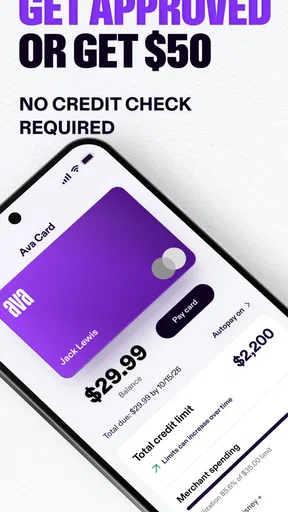
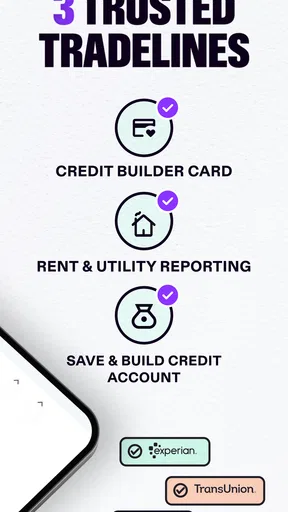
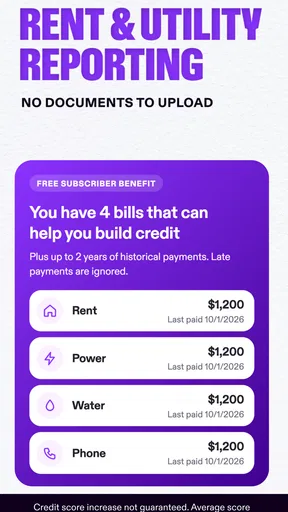
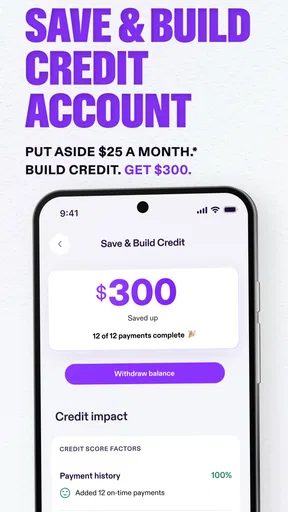
 Analysis by AppCompare
Ever found yourself lost in the sea of finance apps, unsure of which one to choose? Well, I recently stumbled upon Ava Finance, and I’ve got to say, it’s been a pretty enlightening experience. Let me take you through what makes this app a standout option for managing your finances.
What I would decide before signing up
The first question I’d ask is what I want a money app to do. If I mainly need a place to track spending, set limits, and keep goals visible, Ava Finance looks like a practical candidate. If I’m choosing a tool for credit-building specifically, I’d take a closer look at the current terms and eligibility inside the app before relying on it for a particular deadline. Its name points toward credit, but the experience described here also covers broader personal-finance tasks.
I’d also think about how much financial activity I want to bring into one place. Linking accounts can make a dashboard more useful than manually checking several banking apps, but it also means I should be comfortable connecting those accounts and reviewing what information is shared. I would start with the accounts I actually need to monitor rather than connecting everything at once. That makes it easier to judge whether the overview is useful and keeps the setup focused.
Where the everyday workflow can help
The strongest case for using this app is the small, repeated decisions that make up a normal month: noticing that a category is running high, remembering an upcoming bill, or checking whether a savings target is still realistic. A budget is most useful when it changes what I do next, not merely when it displays a polished chart. I’d use the categories as a prompt to review a purchase pattern and adjust a limit, rather than treating a graph as a complete financial plan.
For example, imagine I’m trying to set aside money for a weekend trip while keeping routine expenses under control. I could create a goal, check the spending categories after a grocery run, and use an alert as a reminder before a bill comes due. That turns a vague intention into a few manageable checkpoints. The trade-off is that I still have to make the choices: an app can make progress visible, but it cannot decide whether a discretionary purchase matters more than the goal.
I would also use alerts selectively. Too many notifications quickly become background noise, so I’d reserve them for thresholds or due dates that could genuinely change my next action. A budget warning is more valuable when I set a limit I can realistically respond to, rather than one so strict that I receive repeated reminders and stop paying attention. That simple setup choice can make the app feel like a useful nudge instead of another source of interruptions.
Choosing it over other kinds of finance tools
Compared with a basic expense tracker, the combination of budgets, goals, alerts, and investment tracking may suit someone who wants several parts of their financial picture in one app. A spreadsheet, by contrast, can be more flexible for people who like building their own categories and calculations, though it asks for more hands-on upkeep. If I already have a budgeting method that I update consistently, switching only makes sense if Ava Finance makes a task easier rather than adding another dashboard to check.
Worth Reading Before You Choose

EA SPORTS FC Mobile 26 Is a Bigger Football Game, but It Takes Time

Flipboard Shows What News Apps Must Do Beyond the Feed

Switching to Android Auto Means Rethinking Your Driving Routine

Google Calendar Makes a Crowded Week Easier to Manage

Ludo King Makes the Most of the Minutes Between Plans

Baby Panda World Brings Quick Play to Modern Phones, but Its Game Library Feels Busy
It is also worth separating general money management from specialist investing. Portfolio tracking can help me keep an eye on investments alongside everyday finances, but someone who needs detailed research or trading tools may prefer a dedicated investing service. Likewise, a person focused only on paying bills may get more value from the tools already built into their bank. Ava Finance makes most sense when I want a broader overview and will actually use more than one of its functions.
Before moving my routine over, I’d compare the categories and totals in the app with the statements from my financial institutions. Account links can save manual effort, but any connected view should be checked against the original records before I use it for an important decision. If an account is missing or information looks out of date, I’d avoid assuming the dashboard tells the whole story and consult the institution directly.
Getting Started with Ava Finance
Setting up Ava Finance is a breeze. As someone who doesn’t particularly enjoy complicated setups, I was relieved to find that getting started was as simple as downloading, signing up, and linking my bank accounts. The app supports a wide range of financial institutions, so you’re likely covered.
Once you’re in, the app welcomes you with a clean, user-friendly interface. Everything is laid out intuitively, making it easy to navigate even if you’re not a tech whiz. It’s like having a personal finance assistant that doesn’t overwhelm you with numbers and jargon.
Features That Stand Out
What really impressed me about Ava Finance is its range of features designed to give you a comprehensive view of your financial health. Let’s dive into some that caught my eye:
- Budgeting Tools: The app provides a nifty budgeting tool that helps you set spending limits and track your expenses. It’s surprisingly satisfying to see your expenses categorized and visualized in colorful graphs.
- Custom Alerts: You can set up alerts for when you’re approaching your budget limits or when bills are due. It’s like having a little nudge to remind you to keep your spending in check.
- Investment Tracking: For those of us dabbling in investments, Ava Finance offers a feature to track your portfolio. You can view your investments’ performance over time, which is super handy.
- Goal Setting: Want to save for a vacation or a new gadget? The app lets you set financial goals and tracks your progress. It’s motivating to see how close you are to reaching your target.
Security and Privacy
Now, let’s talk security. I know it’s a major concern when it comes to finance apps. Ava Finance uses bank-level encryption to keep your data safe. Plus, they don’t store your banking credentials, which adds an extra layer of peace of mind. You can even set up biometric login for added security. It’s reassuring to know that while you’re managing your finances, your data is being handled with care.
Even with those protections, I’d treat account access as a decision worth reviewing, not a box to tick once and forget. I’d use a strong device passcode, enable biometric login if it suits me, and check connected accounts from time to time. If I share a device or change phones, I’d be especially careful about who can open the app. Good security habits complement the app’s safeguards; they do not replace them.
Performance and Usability
In terms of performance, Ava Finance is smooth as butter. I didn’t experience any glitches or crashes, which is a big plus. The app is responsive and loads quickly, so you’re not left waiting around when you want to check on your finances.
Usability-wise, the app is as straightforward as they come. Whether you’re a seasoned finance guru or just starting out, the app’s learning curve is practically non-existent. Everything is where you’d expect it to be, and the help section is comprehensive for those rare times you might need a guide.
There is still a difference between an easy interface and an effortless financial routine. Categories and goals only stay helpful if I revisit them when my circumstances change. I’d begin with a few important limits and one meaningful goal, then refine them after seeing how a normal pay cycle looks. Starting with an elaborate budget can make setup feel like homework and may lead me to abandon it before the overview becomes useful.
Who should consider another approach
I would skip this kind of all-in-one setup if I dislike linking accounts, prefer to keep financial information in separate places, or need a tool built around a specialized task. A simple notebook or spreadsheet may be enough for someone who tracks only a handful of recurring expenses. Someone managing investments in detail may be better served by a dedicated platform, while anyone making a major borrowing decision should compare the actual terms and consult reliable financial guidance rather than relying on a budgeting dashboard.
There is also a practical switching cost: changing apps means rebuilding habits, checking that categories make sense, and deciding which alerts deserve attention. I wouldn’t move everything on day one. I’d try the account overview and one budget first, compare the results with my usual records, and then add a goal or portfolio view if it fills a real gap. That staged approach makes it easier to tell whether the app is helping or simply duplicating work.
Ava Finance is a free finance app from Ava Finance, Inc., and it is rated for Everyone. It has a 4.7 average from around 16,000 ratings, with over 500,000 installs. The current version is 5.1.5116, and it runs on operating systems from version 9 onward. Those details make it easy to identify the app, but they don’t replace checking whether its present features and account support fit my own needs.
Final Thoughts
Overall, Ava Finance is a solid choice for anyone looking to get a better handle on their finances. It combines essential features with a user-friendly interface and strong security measures. While no app is perfect, Ava Finance comes pretty close, especially if you value simplicity and efficiency in managing your money.
So, if you’re on the hunt for a finance app that won’t make your head spin, give Ava Finance a shot. It’s like a trusty sidekick in your financial journey, helping you make smart decisions and keep your monetary goals in sight.
My recommendation is to judge it by whether it changes a routine you already have: fewer missed reminders, a clearer spending check-in, or a goal you remember to fund. The app is best for someone who wants a readable overview and is willing to review it regularly. If that describes you, I’d test it with a small, specific use case before making it the center of your finances. If you need a specialist service or want no account connections, another approach will fit better.
Pros
- User-friendly interface with intuitive navigation.
- Comprehensive financial planning tools included.
- Real-time updates for accurate tracking.
- Secure encryption for user data protection.
- Customizable alerts for financial goals.
Cons
- Limited features in the free version.
- Occasional syncing issues with bank accounts.
- Customer support response can be slow.
- Requires internet connection for full functionality.
- Some reports are not exportable.
FAQs for Ava Finance
What features does Ava Finance offer to help manage my finances?
Ava Finance provides a suite of tools designed to simplify financial management. Key features include budgeting tools, expense tracking, bill reminders, and personalized financial insights. The app also offers integration with various banks, allowing users to have a consolidated view of their finances, ensuring they stay on top of their financial goals.
Is Ava Finance secure to use with my banking information?
Yes, Ava Finance prioritizes security and employs industry-standard encryption to protect your data. The app uses secure connections for all data exchanges and does not store your banking credentials. Additionally, Ava Finance regularly updates its security protocols to guard against potential threats, ensuring your information remains safe.
Can Ava Finance help me improve my financial habits?
Absolutely. Ava Finance is designed to assist users in developing better financial habits through its personalized insights and recommendations. By analyzing spending patterns, it suggests areas for improvement and offers tips for saving money. Users can also set financial goals, and the app provides progress tracking to motivate better financial behavior.
Does Ava Finance charge any fees for its services?
Ava Finance offers a free version with essential features, but also provides a premium subscription for users seeking advanced tools and insights. The premium version includes features like enhanced analytics, priority customer support, and additional customization options. Users can choose the plan that best fits their needs and budget.
Is Ava Finance suitable for small business owners?
While primarily designed for personal finance management, Ava Finance can be a useful tool for small business owners managing personal and business finances. The app’s expense tracking and budgeting features can help in monitoring cash flow and managing expenses. However, it may not replace more comprehensive accounting software needed for business-specific financial activities.


